
Tuscola County Traffic Court Records
One court handles it all. Tuscola County traffic tickets and civil infractions go to the 71B District Court, not a city court. The courthouse sits at 440 N. State Street in Caro. Its Magistrate Criminal/Traffic Division keeps the pending traffic, criminal, and civil-infraction records. The district court also runs a general line for other district matters. A traffic case file can show the citation, the charge, the response, the hearing, the disposition, and what the court has assessed or collected.
Which agency wrote the ticket matters less than people think. The county page lists payable matters from several departments. Those include the Tuscola County Sheriff, Caro Police Department, Vassar Police Department, Mayville Police Department, Millington Police Department, and Akron-Fairgrove Police Department. No agency gets its own docket. Every citation lands in the 71B court record. So match the case by citation number and violation date. The printed ticket still controls what was alleged and when a response is due.
Tuscola County Traffic Court Route
Several routes lead to the same record. Start with the court-specific MiCOURT D71B search online. Tuscola County also posts separate Court Docket and Magistrate Docket displays for district proceedings. If the screen confuses you, call. The Magistrate Criminal/Traffic Division answers at 989-672-3790. The general District Court line is 989-672-3800. The court counter remains the best place to ask about a pending record or the next step.
Caro and Vassar have no municipal traffic-docket portal of their own. City offices handle city-government questions, but a 71B Register of Actions never lives there. That matters for city-police tickets. Use the countywide 71B court path instead of hunting for a city case file. For an in-person question, bring the citation or the exact case details shown on the court notice.
The numbers tell the workload story. The state's 2023 71B caseload report recorded 3,261 new traffic civil-infraction filings, 192 new traffic-misdemeanor filings, and 9 parking filings. Those count cases, not people, and not a live docket total. They do explain one thing. Volume is high, so a precise court selection and a narrow citation search beat a broad countywide name search.
71B District Court
440 N. State Street
Caro, MI 48723
Magistrate Criminal/Traffic: 989-672-3790
General District Court: 989-672-3800
Looking Up a Traffic Ticket
Search with the citation first. MiCOURT lets you look by name or by case number. A common last name returns too much, so narrow it. Add a first or middle name, or a birth year. Court selection, case category, and case status help too. So does a filing-date range or an offense-date range. The public result is informational only. It is not a certified record. Before treating a match as yours, confirm the court, the date, and the case detail.
A citation number is often the strongest starting detail when the notice shows one. No luck? If nothing appears, work down a short list. Try the court-specific D71B search first. Then try the public docket display. Then call the Magistrate's Office with the citation number and violation date. One warning deserves repeating. Never let repeated searches eat the response time printed on the ticket. If a ticket stays hidden online, the county's instructions point to the court itself. Skip the general web result.
| Search field | How it works in MiCOURT | Traffic-use note |
|---|---|---|
| Last Name or Business | Required for a name search; at least two characters. | Use a distinctive spelling, then narrow the result. |
| Case Year | Optional four-digit year in a case-number search. | Use it only when it appears on the court notice. |
| Case Number | Required for a case-number search; wildcards are not accepted. | Enter the citation-linked case number exactly as provided. |
| Case Type | Optional two-character field when supplied. | Do not guess a code or remove leading zeroes. |
| Case Category and dates | Filters include Criminal/Traffic/Civil Infractions and date ranges. | Use a narrow date range for a common name or recent citation. |
Tuscola County MiCOURT Ticket Search
MiCOURT keeps its public search apart from the district court's docket displays. Choose D71B first. That step ties the result to 71B District Court instead of some other Michigan court. A search can return the case ID, case title, filing date, status, balance, court, and next-hearing information. Open a case detail and you may see events, hearings, disposition, due-date, and financial fields where they are public. Do not expect every document or court file image online.
The interface calls itself a convenience. It is not a replacement for the official court record. Its search notice also limits public access for some case categories. It controls excessive automated requests as well. A missing record can mean several things. The search may mismatch. The court selection may be wrong. The timing may be off, or access may be restricted. Go narrow first. Then ask the court that keeps the citation file.
The official 71B District Court page ties it together. From there the county links local traffic instructions and the public docket displays. It also lists the payment route for eligible matters.
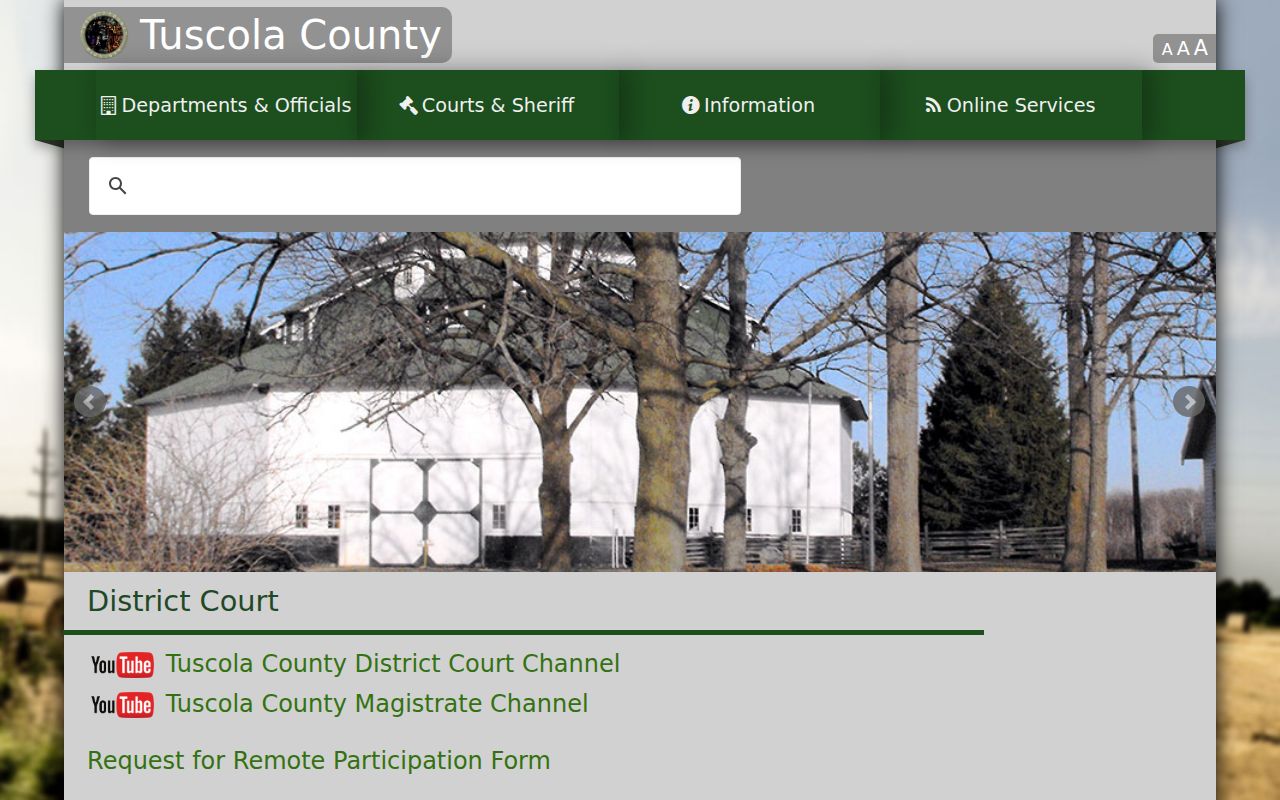
The district court page connects the local traffic process to the public 71B record sources. Your citation still controls both dates.
How to Find Your Traffic Court Date
Open the matching D71B case detail. Look for the next-hearing block. The entry may show a date, time, hearing officer, location, hearing type, and comment, with a result appearing only after the event. The public Court Docket and Magistrate Docket add context. Even so, a case-level entry is not a complete daily calendar. A listed date is a setting. It does not prove the hearing was held, and settings can change.
Copy the case number exactly. Match the citation or official notice. MiCOURT's case-number search works from a Case Year + Case Number + Case Type structure when those details are available. If the online time conflicts with a mailed notice, a court instruction, or a changed setting, ask 71B to confirm the current date. The broader Tuscola County Court Dates page covers the court's public calendar surfaces and the gap between a setting and a final result.
| Next hearing date | The scheduled court date shown for the selected D71B case, subject to later change. |
|---|---|
| Time and location | The time and hearing location supplied in the public case detail when available. |
| Hearing officer | The judge, magistrate, or other officer listed for that setting. |
| Hearing type | The event category, such as an informal hearing, arraignment, pretrial, or other court setting. |
| Comment or result | Additional public context or a result after a completed event, if the record displays one. |
Tuscola County Magistrate Docket Displays
Tuscola County's District Court page links two public displays. One is the public Court Docket. The other is a separate Magistrate Docket. Both are handy when a matter sits in the district court's public calendar context. They supplement a case search, not replace one. Match any displayed line against the citation or case ID before trusting a setting.
Magistrate involvement does not make every traffic matter alike. Local instructions allow an informal hearing by telephone or in person before the magistrate, while a formal hearing follows district-court pretrial procedure. The record, notice, and court direction tell you which procedure applies. A display can also change when the court continues a setting or limits public detail.
Note: Verify a traffic hearing with 71B when the citation, case detail, and public docket display do not show the same date or time.
Pay or Contest a Ticket
Paying and contesting follow different paths. Tuscola's local traffic instructions separate an eligible payment from a hearing request. Payment can happen in person, by mail, through AllPaid/GPS online, or by telephone. D71B's MiCOURT metadata points to the court's GovPayNow payment page, PLC 1033. The district page lists payment forms. Cash, personal or business checks, money orders, and cards all appear. Card processing charges are possible. Use the current court-linked payment route only. Let the ticket's details tell you whether payment is even an option.
The County Clerk's filing-options notice describes a different AllPaid location code for circuit filing fees. That code is not the D71B citation-payment instruction. Keep the two channels apart. That stops a district traffic payment from landing in a circuit filing process.
Want to challenge the citation? Follow the hearing instructions first. Tuscola's instructions describe an informal hearing by phone or in person before the magistrate. They also describe a formal hearing that runs through district-court pretrial procedure. The citation controls. A matter may be payable, contested, or handled under a different criminal process depending on the charge and current case posture.
| Choice | Local route | Record effect to confirm |
|---|---|---|
| Eligible payment | Use the court's in-person, mail, online, or telephone channel. | Confirm the citation amount and whether the matter is eligible before submitting payment. |
| Informal hearing | Request it within the local response period; it may be by telephone or in person before the magistrate. | Look for the hearing setting and later disposition in the court record. |
| Formal hearing | Request it within the local response period; it follows district-court pretrial procedure. | Follow the court's notice for the next setting and any required appearance. |
Tuscola County 14-Day Ticket Response
Tuscola's District Court instructions say contact the court or pay within 14 days of the violation date. A formal or informal hearing can be requested in that same period. The clock matters most early. The online case record may not exist yet. The citation itself supplies the controlling deadline, and a missing result should prompt a call to the Magistrate's Office instead of a wait for more search results.
Michigan procedure adds default rules. Failure-to-appear rules also apply. The official Michigan Vehicle Code and the Michigan Traffic Benchbook are the state sources for those procedures. The state process runs a 28-day notice sequence and then a 14-day period. The statute, court notice, and citation still control.
Do not wait on a missing online result. Call 989-672-3790 with the citation number and violation date, then follow the deadline printed on the ticket and the court's instruction.
Traffic Court Record vs Driving Record
Two public systems can describe different parts of the same traffic matter. The 71B court record lives with the district court. It can show the citation or charge, plea or response, hearing settings, disposition, assessment, and court financial information. The state record is separate. The Michigan Secretary of State driver-record guide explains it. Licensing status, abstracts, suspensions, and related state-record information appear there rather than the court's complete case history.
Timing differs as well. A court disposition may not appear in the state system at once, since the court and state use separate systems and reporting steps. Tuscola sends licensing questions to the Secretary of State. The court record remains the source for the case's court date, event history, and disposition. Want a wider case search? Use the county's Case Lookup route across the court's public fields and choose D71B.
| Record | Custodian | What it can show |
|---|---|---|
| Traffic court case record | 71B District Court Clerk/Magistrate's Office | Citation or charge, court events, hearing settings, disposition, assessments, and court financial fields. |
| State driving record | Michigan Secretary of State | State licensing status, abstracts, suspensions, and related state-record information. |
Tuscola County Traffic Ticket Classifications
A ticket in Tuscola County can take more than one route through court. Civil infractions are the lighter kind. They may be paid outright, or set down for an informal or formal hearing instead. A traffic misdemeanor is a different animal entirely, because it is criminal. Under the local court's own instructions, it can mean arraignment, a fine, jail time, fingerprints, and later settings in a criminal case. So the word printed on the citation never guarantees that you can just pay and be done.
Felonies sit even further from a payable ticket. The magistrate arraigns the person, sets bond, and schedules what comes next. A transfer to the 54th Circuit Court may follow down the line. That is why checking D71B, reading the case status carefully, and calling the right clerk beats assuming one uniform process for every traffic record. The district court staff can explain record access and how a matter gets routed. They cannot give legal advice on the case itself.
- Civil infraction
- A traffic matter that may have a payment or hearing route under the court's current instructions.
- Informal hearing
- A hearing that Tuscola describes as occurring by telephone or in person before the magistrate.
- Formal hearing
- A requested hearing that follows district-court pretrial procedure.
- Arraignment
- An early criminal-court proceeding that can apply when the matter is a misdemeanor or felony rather than an ordinary civil infraction.
Copies and Fees
What you see in a public MiCOURT result is not a certified court copy. Michigan Court Rule 8.119 governs this area. It makes public court records open to inspection or copying unless a rule, statute, or order restricts them. It also lets the court charge reproduction costs. The 71B publishes no separate copy-price schedule or MiCOURT document-image purchase fee. Ask the District Court or Magistrate's Office directly what can be copied. Ask whether the record is public and what the current charge runs.
The county does post selected traffic amounts on its district court page. Treat those as citation examples rather than a fee schedule covering every case. Never treat them as a stand-in for the printed ticket. Court costs, amendments, prior action, and the exact charge on the citation all shift the total. For a precise figure, use the current local page or call the court's traffic line.
| Published local example | Amount | Important limit |
|---|---|---|
| Speeding 1-5 mph over | $100 | Example only; the printed citation controls. |
| Speeding 6-10 mph over | $122 | Example only; current court instructions apply. |
| Speeding 11-15 mph over | $132 | Example only; current court instructions apply. |
| Seat belt | $65 | Example only; confirm the exact ticket amount with 71B. |
| Child restraint | $91 | Example only; confirm the exact ticket amount with 71B. |
| Careless driving | $185 | Example only; the charge and court record control. |
Tuscola County Traffic Fine Examples
The published amounts work best as a cross-check. Use them against the local traffic page, not as a standalone calculation. Tuscola County lists example fines for several more violations too. Those include VBSL plus failure to yield or stop. A disobeyed traffic signal appears as well, along with plate or registration matters. Parking and defective equipment round out the list. A few other listed violations appear as well. Whatever the charge, follow the exact notice and the current 71B instructions. That matters most when a payment, repair verification, or hearing request sits under a short local deadline.
No separate red-light or speed-camera citation portal exists among the court's offerings. Treat that cautiously, since agencies differ in how they operate. When a citation does not turn up, a few routes still work. Start with the ticket details, then MiCOURT D71B. Check the local Court Docket or Magistrate Docket when those apply. The Magistrate's Office can also help at 989-672-3790.
Note: Court financial amounts and hearing status can change, so confirm a Tuscola County traffic ticket directly with 71B before relying on a public result.